Over the last few weeks, three new products have announced themselves on Hacker News to great success, each making the frontpage:
- Sprites (fly.io) with 508 votes and hit #7
- exe.dev with 457 votes and hit #2
- shellbox.dev with 316 votes and hit #4
All three have a very simple pitch: they will give you full access to Linux virtual machines to act as a sandboxed developer environment in the cloud.
At first glance, the attention these have gotten is very head-scratching. The idea of a Linux VPS has been around for more than 20 years at this point and VPS providers like DigitalOcean and Hetzner are widely known and used in the industry. From a technological standpoint, there’s very little revolutionary here.
Is it price then? Well no: the hardware specs are pretty awful for what you pay. For example, exe.dev gives you 2 CPUs and 8GB RAM shared across your whole account for $20/month. For comparison, at Hetzner for roughly that price, you can get a single VPS with 16 CPUs and 32GB RAM…
And moving a local dev environment to the cloud has real downsides: added latency, needing a network connection, making graphical access painful. If all you wanted was the ability to partition hardware resources, we’ve had VMs and containers for more than a decade. You can use Docker on any decent Linux machine and spin up containers to your heart’s content. And with apple/container, it’s very easy to launch a semi-sandboxed Linux environment on macOS too.
So why is there so much excitement around fancy VPSes?
Why the criticisms miss the point#
The real reasons are two-fold: we’re in the age of AI and the user experience of these products.
First, sandboxing. If you’re using LLM coding agents and you’re not looking to YOLO things, sandboxing matters. Most prominently, Simon Willison has been beating the drum on the security risks of agents, with sandboxing being a good way to cut off the “Access to Private Data” part of the Lethal Trifecta. Segregating to a fresh VM, while by no means perfect, significantly limits the blast radius compared to using your personal dev machine if something goes wrong.
Second, there’s been an explosion in prototyping projects due to tools like Claude Code and Codex. They make it so easy to spin things up that developers want more “fresh starts” instead of piling features onto existing projects. And if an experiment doesn’t work out, you just delete the machine and start over without figuring out how to clean up.
But why these new services over a traditional VPS? Speed. All three are optimized to get you from zero to “machine running Claude Code” in 1-2 minutes, versus 20-30 with traditional providers. They also handle the annoying bits of sharing web services: reverse proxy, TLS termination, DNS are all available instantaneously and with zero fuss; it’s night and day vs trying to roll your own.
In some sense, this is developer environments catching up to what has happened to production systems over the last decade. We’ve had infrastructure-as-code and “cattle not pets” thinking in deployment since containers and Kubernetes took the world by storm. GitHub Codespaces was a step in this direction for dev environments. Put another way, this new crop of services are an evolution: they let you go beyond just the “development” part and to the full end-to-end stack.
Speedrunning the services#
But enough about the abstract philosophy about why these services are having a moment: I decided to try out all of these services to see for myself whether they were actually useful and which one I liked the most.
My motivating use case for this: I was looking to understand how COOP and COEP work in all modern browsers for building a new feature in Perfetto 1. This was a perfect vibe-coding task: it was fully throw-away code for testing something that would never directly end up in any prod project. And it was a web based thing where I needed https and certs etc. Literally could not design a better use case for this.
Here’s a quick rundown of the services:
| Service | Pricing | Specs | Interface |
|---|---|---|---|
| exe.dev | $20/mo for up-to 25 VMs | 2 CPU, 8GB RAM, 25GB disk shared across all 25 VMs | SSH + web shell + built-in AI agent |
| sprites | Usage-based ($0.07/CPU-hr, need to pay for RAM + storage also) | Bursts to 8 CPU, 16GB RAM | CLI tool for setup + SSH afterwards |
| shellbox | Usage-based ($0.05/hr running, $0.005/hr stopped) | 2 CPU, 4GB RAM, 50GB SSD | Pure SSH |
Immediately, it’s clear that there are three different “dimensions” these services are competing on:
- Pricing model: flat fee vs usage based
- Maximum possible specs: laughably poor vs somewhat reasonable
- Interface: ssh vs custom CLI
It’s amazing how three tools in such a short space ended up in such different places! But which one actually worked best for me?
My experiences#
shellbox#
The UX to interface with shellbox is very cool: everything (billing, creating VMs, deleting VMs) is all done via ssh! You ssh into a server and they use your public key to figure out your account. You then add “credits” to your account that you can then use. Having not seen any other service like this before, I was already very impressed by the “cool factor”.
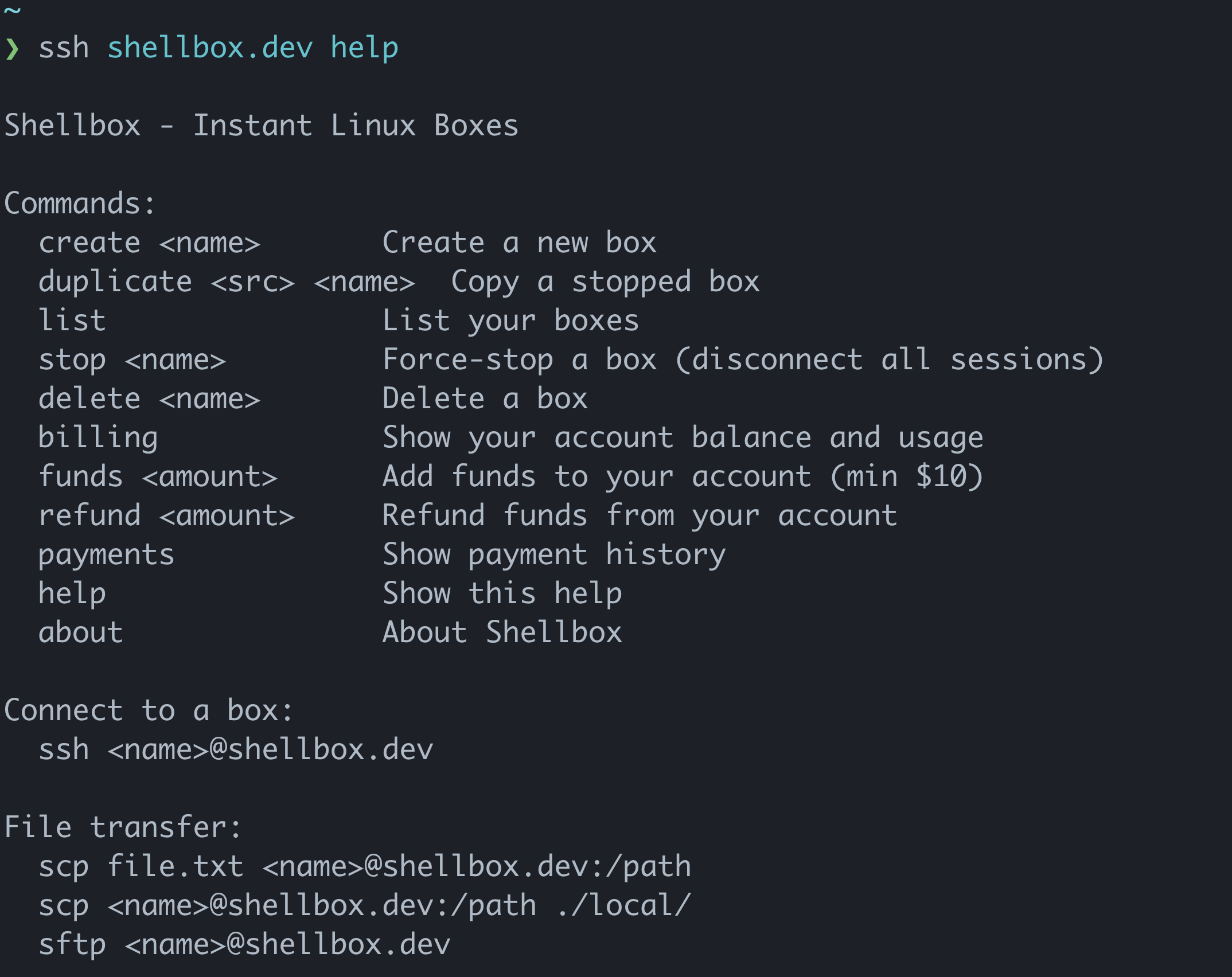
Unfortunately, that quickly faded as I found I couldn’t even try it without paying first some amount of money. And the payment UX was rough: no indication of how long I’d have to wait, and for a while their SSH status command kept telling me I had no credits; they finally showed up 15 minutes later.
Once in, I found Ubuntu 18.04: not exactly a “modern” environment (it’s actually been EOL since 2023…). And nothing was pre-installed; I even had to install Python myself! Certainly not ideal if the goal is “get to a usable dev environment fast”.
But the real dealbreaker for me is that, in their world, they consider a VM “stopped” the moment you disconnect SSH. To my understanding, this means you can’t run a webserver in the background even for a day or two to test something. Instead you need to stay connected constantly, which for the sort of thing I was trying to build, was very non-ideal.
exe.dev#
Firstly, I want to make clear that the homepage for exe.dev sucks, especially on mobile: it doesn’t tell you anything about what you’re getting and just tells you “ssh exe.dev”; I wasn’t about to SSH into a random server without understanding why. You only understand what you’re getting by clicking “About” at the bottom which takes you to their docs (which are actually decent!).
Once you SSH in, though? The UX is fantastic. It recognized my public key, looked it up against my GitHub account automatically 2 and pulled my email and associated it to my account. On the VM, there was Ubuntu 24.04, Claude pre-installed, recent Python. They clearly understand their user base and what they’re trying to accomplish.
And beyond the command line, there’s a web shell for when SSH isn’t convenient. And they have a custom, web-based coding agent called Shelley which works surprisingly well (honestly, in many ways, nicer than Claude Code on web). I especially like their ability to look at the web service running and take screenshots to understand the state of the page; very cool!
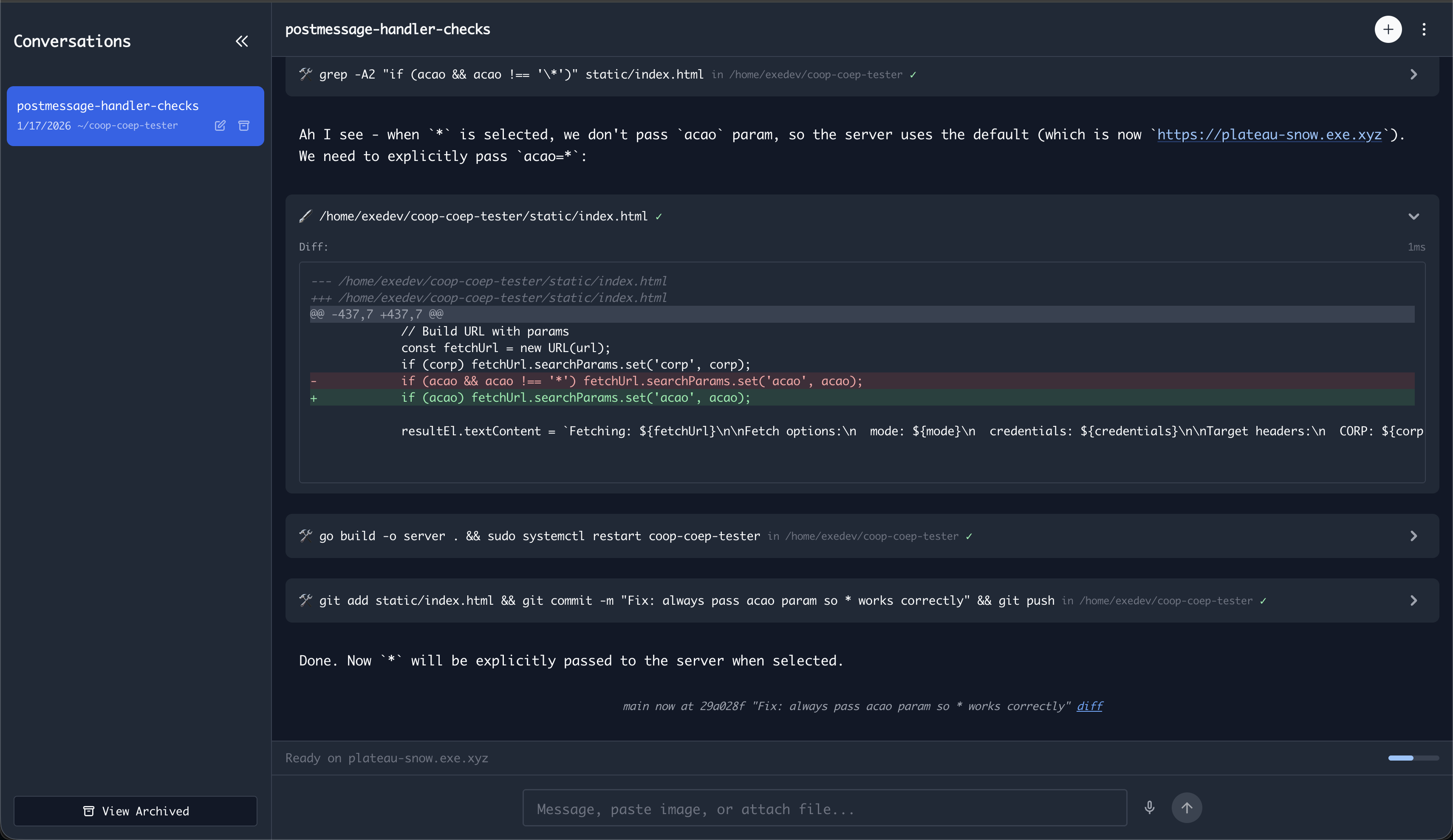
It’s night and day between the homepage and the actual product. The only annoyance I ran into is that you can only expose a single public port, which I needed in my particular case (but I can understand this is a somewhat niche ask). Beyond that, I had a very nice experience.
sprites#
Having tried shellbox and exe.dev, the need to generate a token and install their CLI for sprites made me feel like I’d left my magic SSH kingdom and was back in the real world.
Once installed, the process to create a VM and ssh in was very smooth. Claude
comes pre-installed, and interestingly, they configure it with
--dangerously-skip-permissions by default! You’re given Ubuntu 25.04, so
relatively bleeding edge. Beyond that, it all felt very standard, you’re just
getting a VPS fast and fuss-free but with no other “magic” like exe.dev had.
In general though, the vibe I got throughout my experience of interacting with the tools and their web dashboard was that it felt very corporate" and designed for companies with teams of developers.
I think this feeling is best summed up by how their home page looks when logged in:
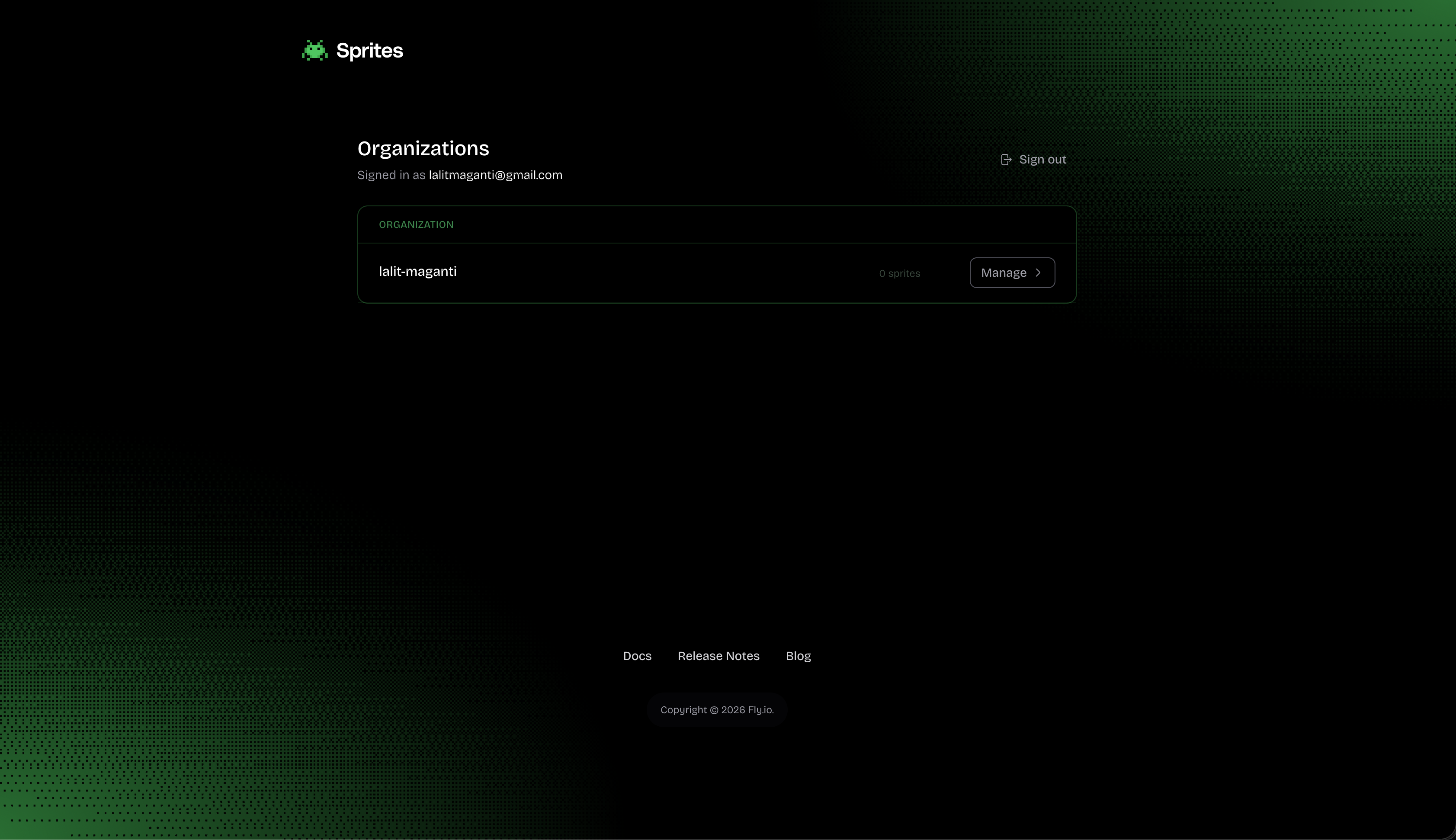
Not exactly flattering to see myself labelled as an organization!
Overall assessment#
exe.dev is my pick for solo developers. The flat $20/month cap feels psychologically nice—you know your max spend. The 2 vCPUs might feel limiting, but for Claude Code sessions where you’re not doing anything CPU-intensive, it’s probably fine. And frankly, the UX is so good it makes up for a lot.
shellbox has the simplest pricing model, but the user experience left me underwhelmed. The environment is ancient, the payment flow was confusing, and the SSH-disconnect behavior kills too many use cases. It feels a bit hacked together.
sprites is the most interesting technically. I love their design blog post: the ability to burst to 8 CPUs and 16GB RAM while only paying for what you use is very clever and I can imagine it would be great if you were only planning light usage. But the UX feels corporate, not magical. If I were running a company, I’m reasonably certain sprites would be the way to go. But for solo experimentation, exe.dev wins.
Conclusion#
You might find these services incredible or baffling depending on your stance on AI and how much you’re willing to pay for convenience.
These services aren’t targeting customers who care about “value for money” or raw specs. They’re targeting developers who want frictionless access to machines, without setting up VMs, wrestling with containers, or configuring certificates to show off prototypes.
I’ve been won over by the neat UX and “joyous” feeling of exe.dev. I’ll probably pay for it in months where I expect to do a lot of prototyping. Having tried the alternatives (Docker, local VMs, traditional VPSes) it’s nice to have something that just works.